
Connecting a Database to Your FiveM Server
Learn how to set up and connect a MySQL database to your FiveM server with oxMySQL
Most FiveM frameworks and resources require a MySQL database to store player data, inventory, vehicles, and more. This guide will show you how to set up and connect a database to your FiveM server.
Prerequisites
Before starting, you need:
- A FlexyNode FiveM server
- A MySQL database (included with FlexyNode game hosting)
- oxMySQL installed
Step 1: Create Your Database
Via FlexyNode Game Panel
- Log in to your FlexyNode game panel
- Navigate to your FiveM server
- Click on Databases in the left menu
- Click Create Database
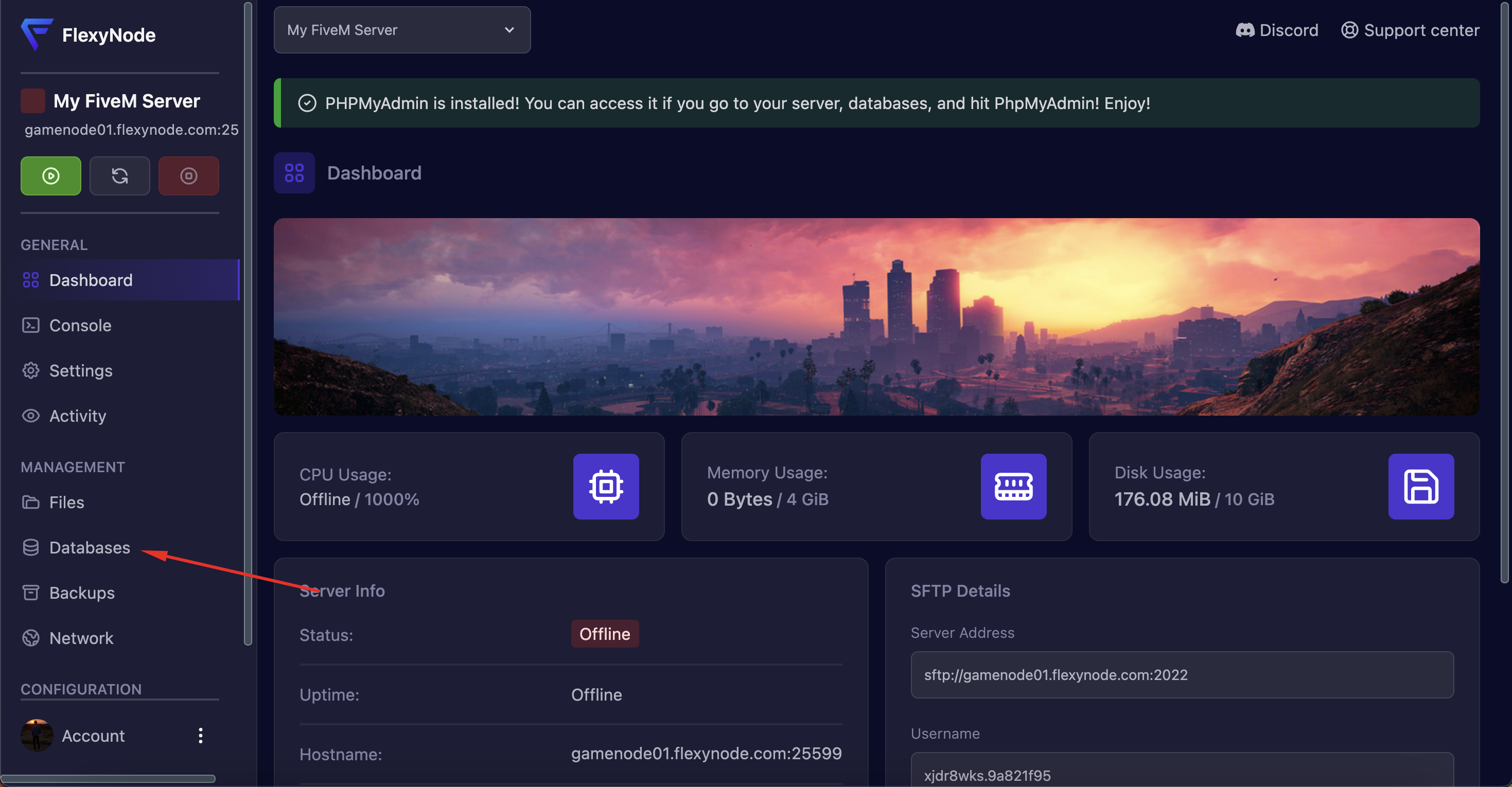
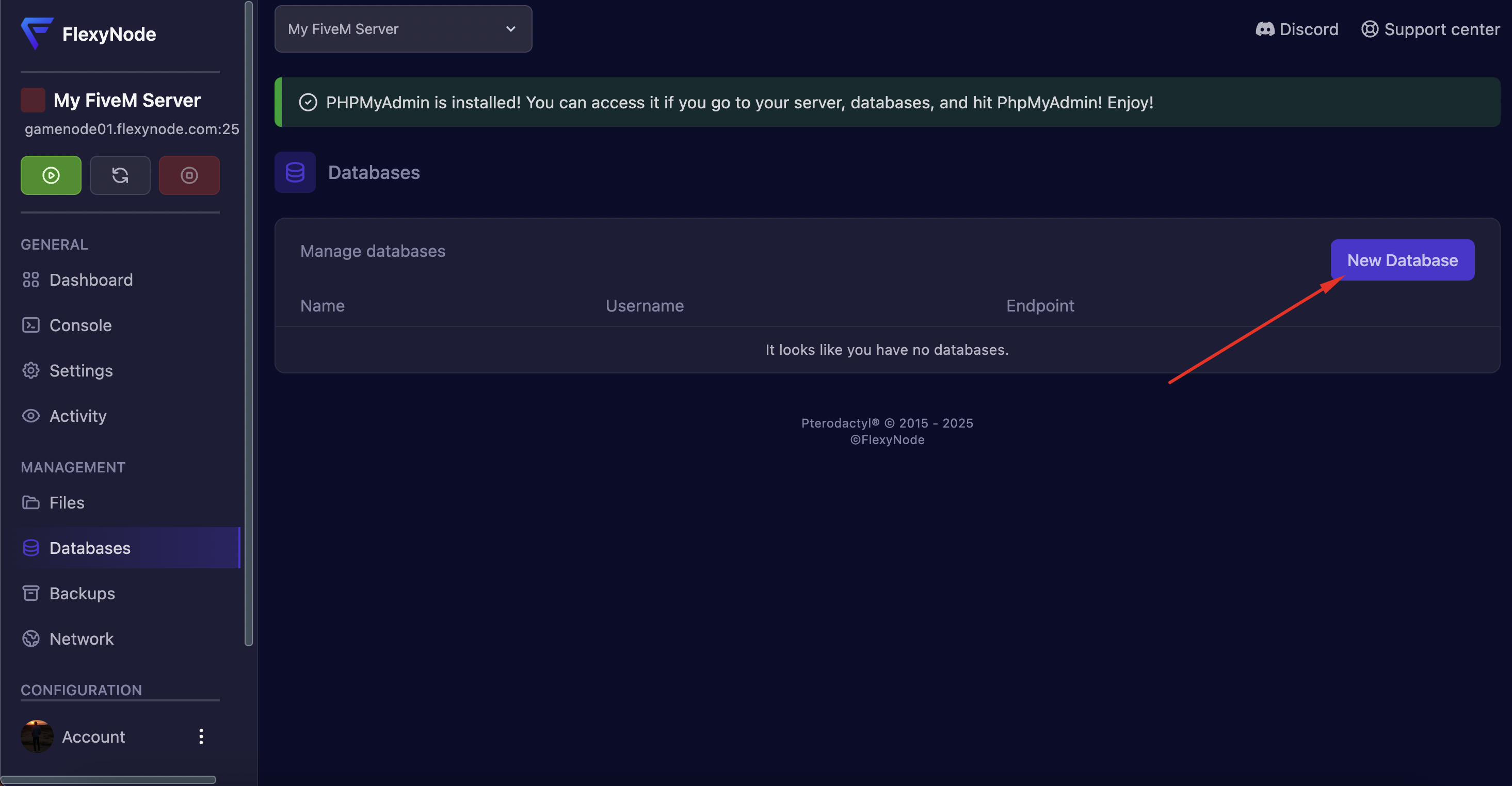
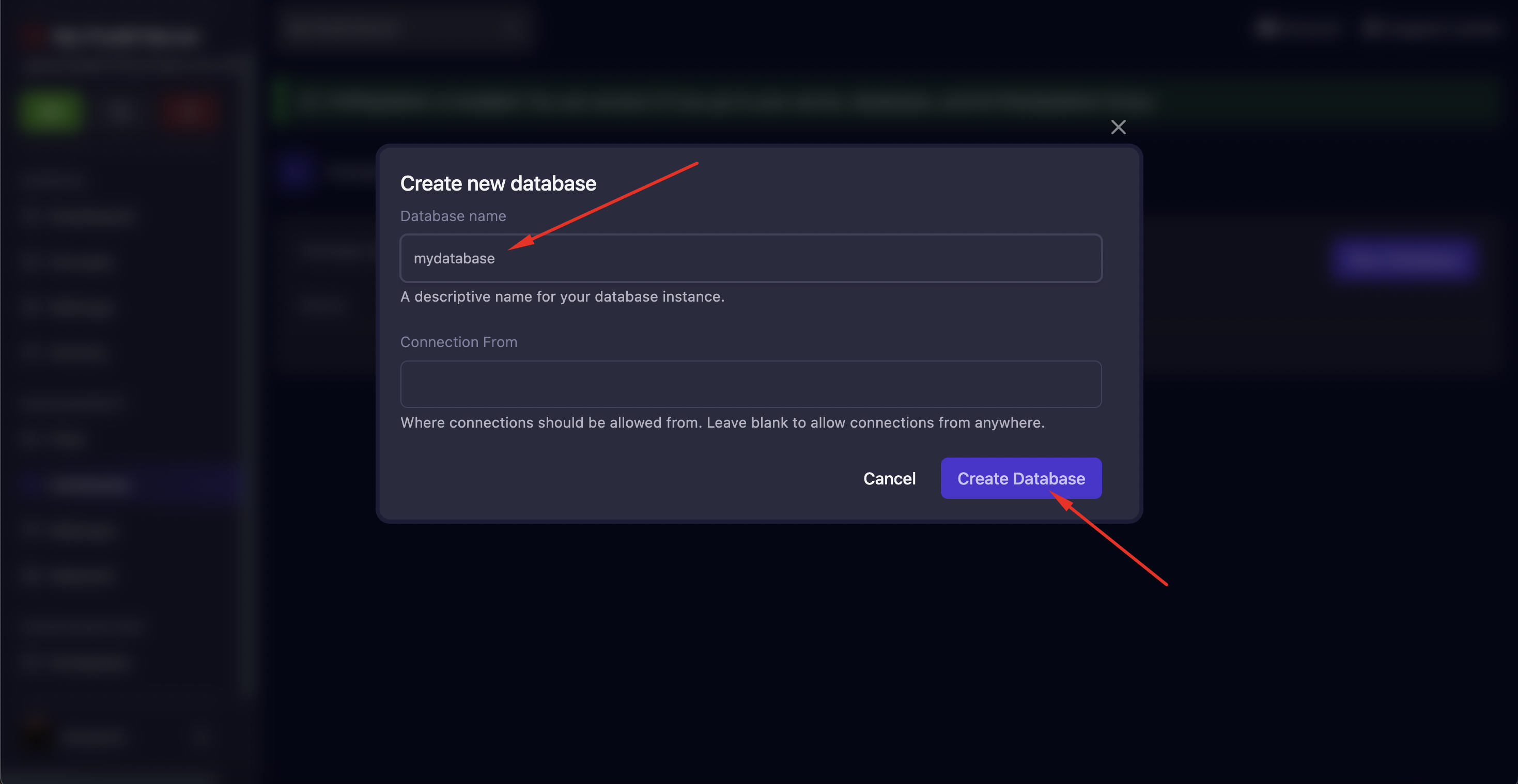
- Fill in the details:
- Database Name: Choose a name (e.g.,
fivem_server) - Remote Access: Enable if you want to connect from outside (optional)
- Database Name: Choose a name (e.g.,
- Click Create
Database Credentials
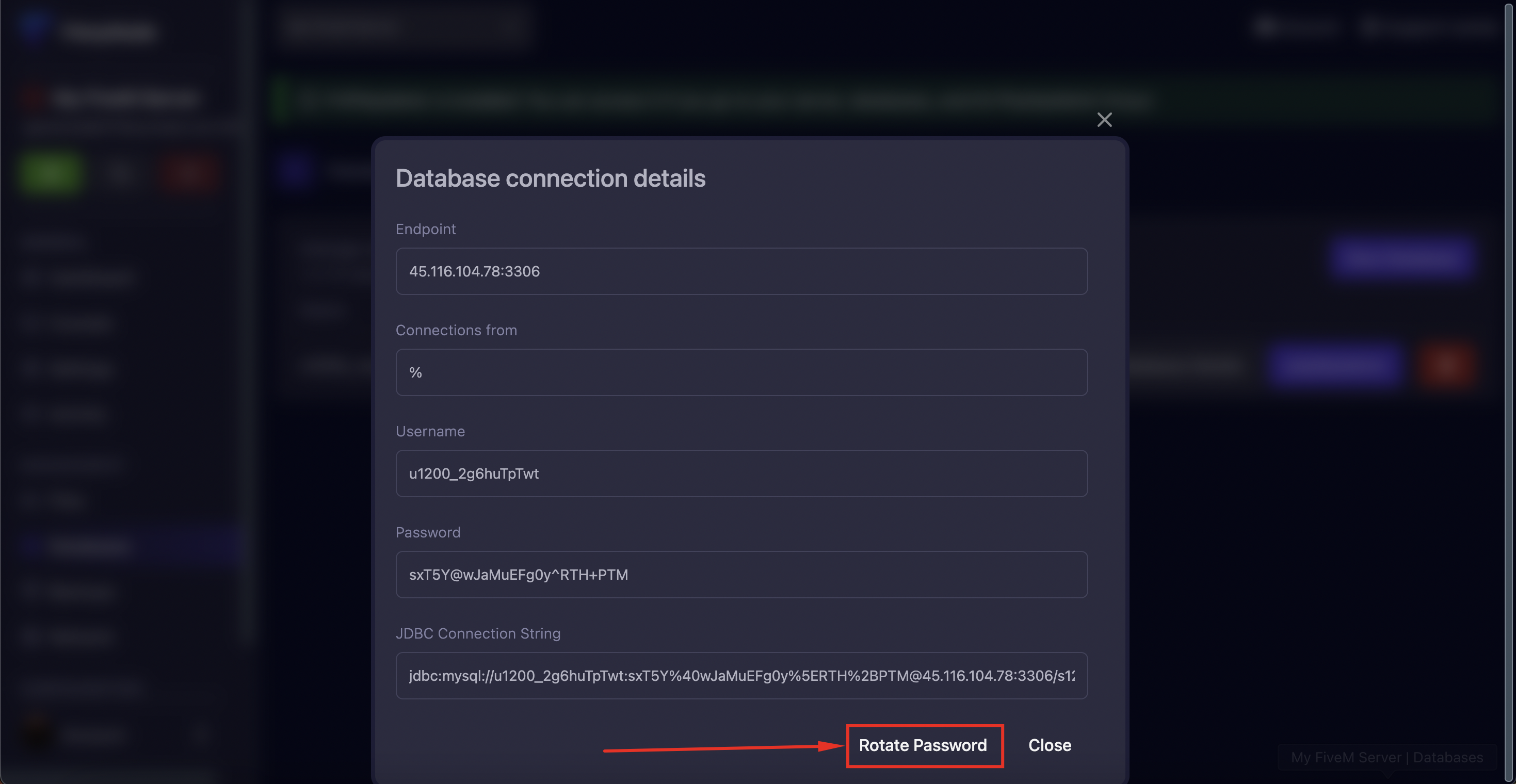
After creation, click on the following button to show the database crendentials:
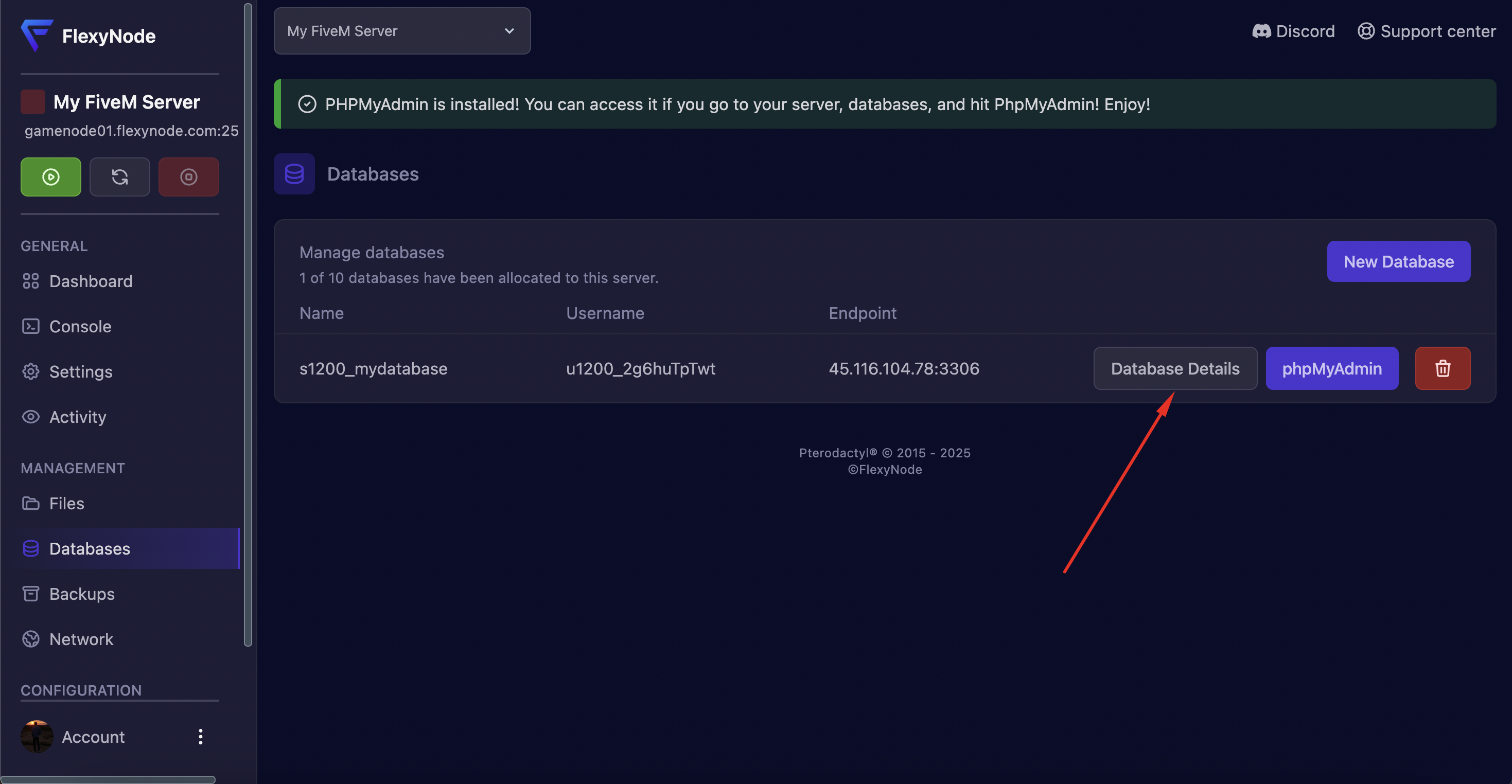
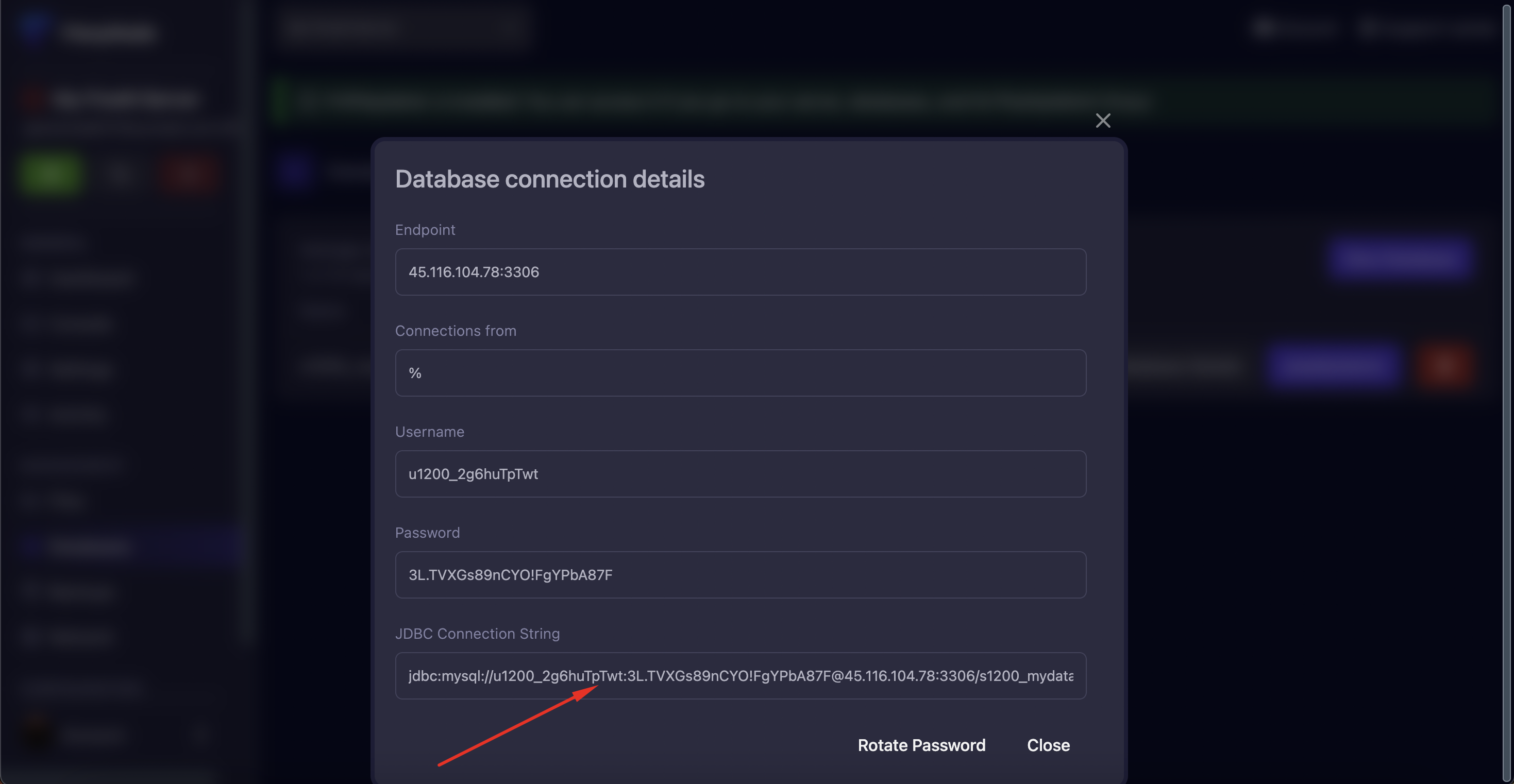
Click on "rotate password" until all special characters unless ! or . are removed from the password. Numbers and capital letters are allowed.
Click on the "JDBC Connection String" field to copy the JDBC database string.
Server Configuration
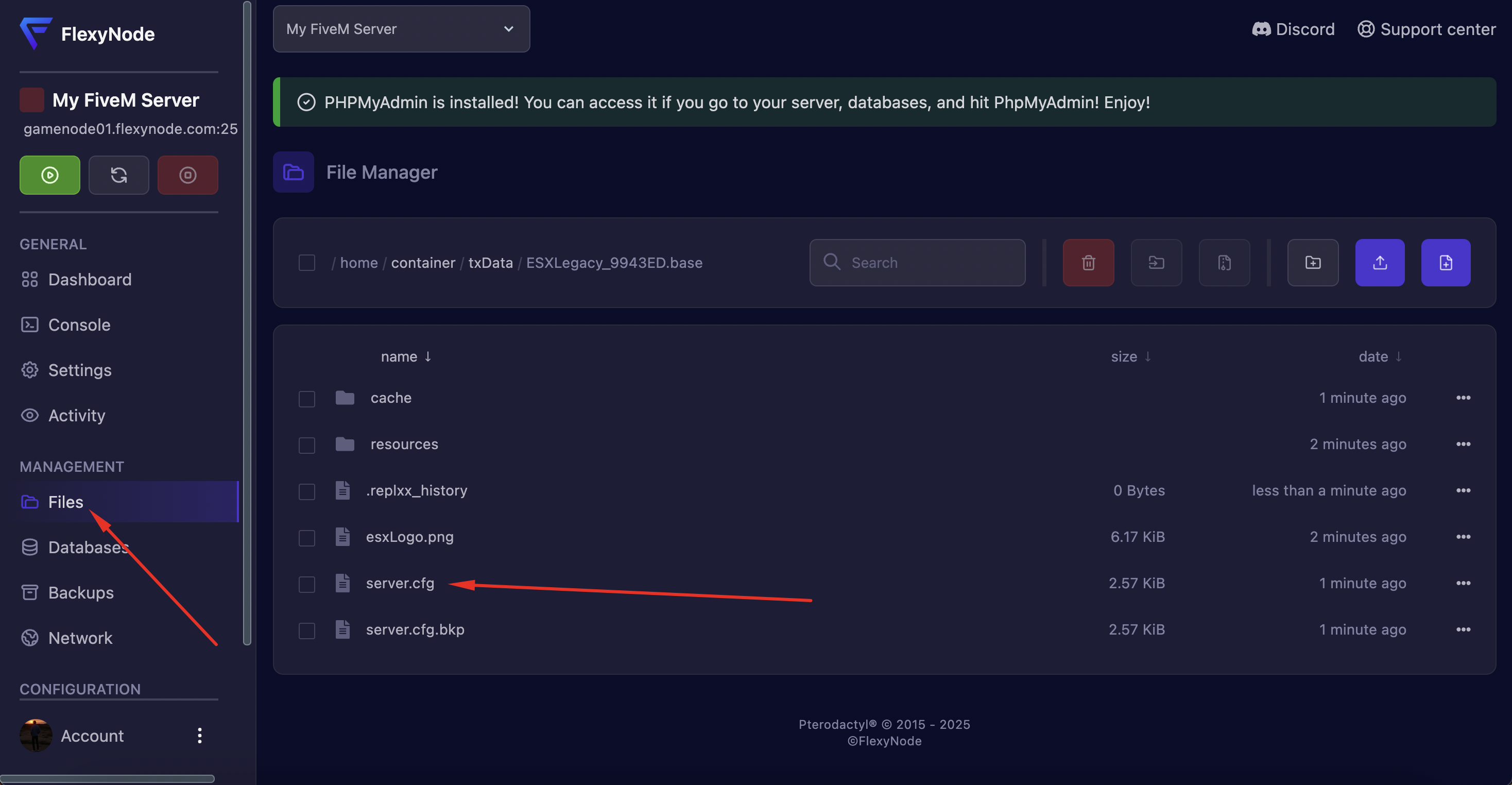
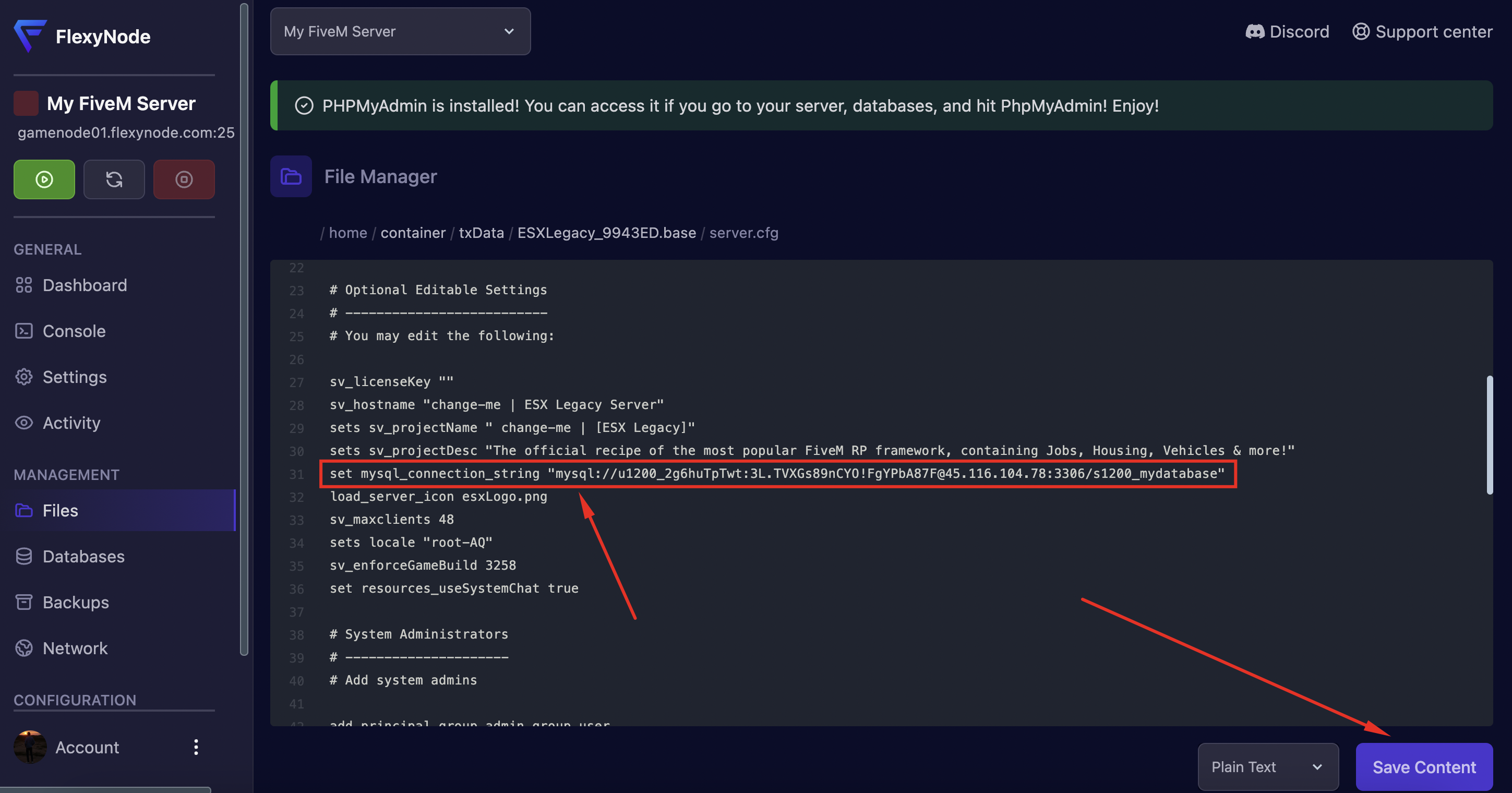
Go to your server files via the "Files" button in the sidebar and open your server.cfg file.
In your server.cfg file, add: set mysql_connection_string "putyourstringhere" to the beginning of the file and replace putyourstringhere with the JDBC database string that you copied earlier.
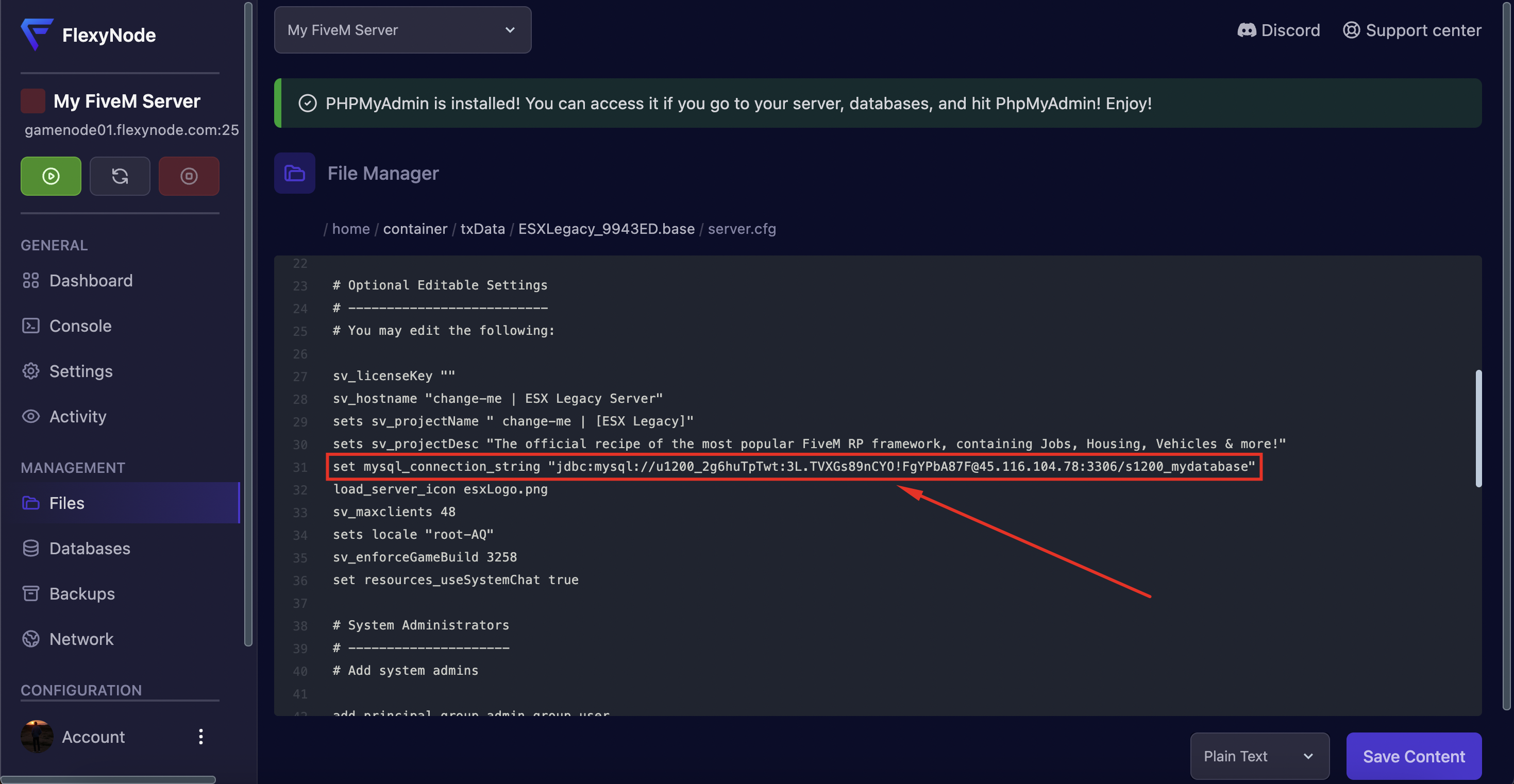
Remove JDBC: before the mysql:// and click on "Save Content" to save the file.
Start Server
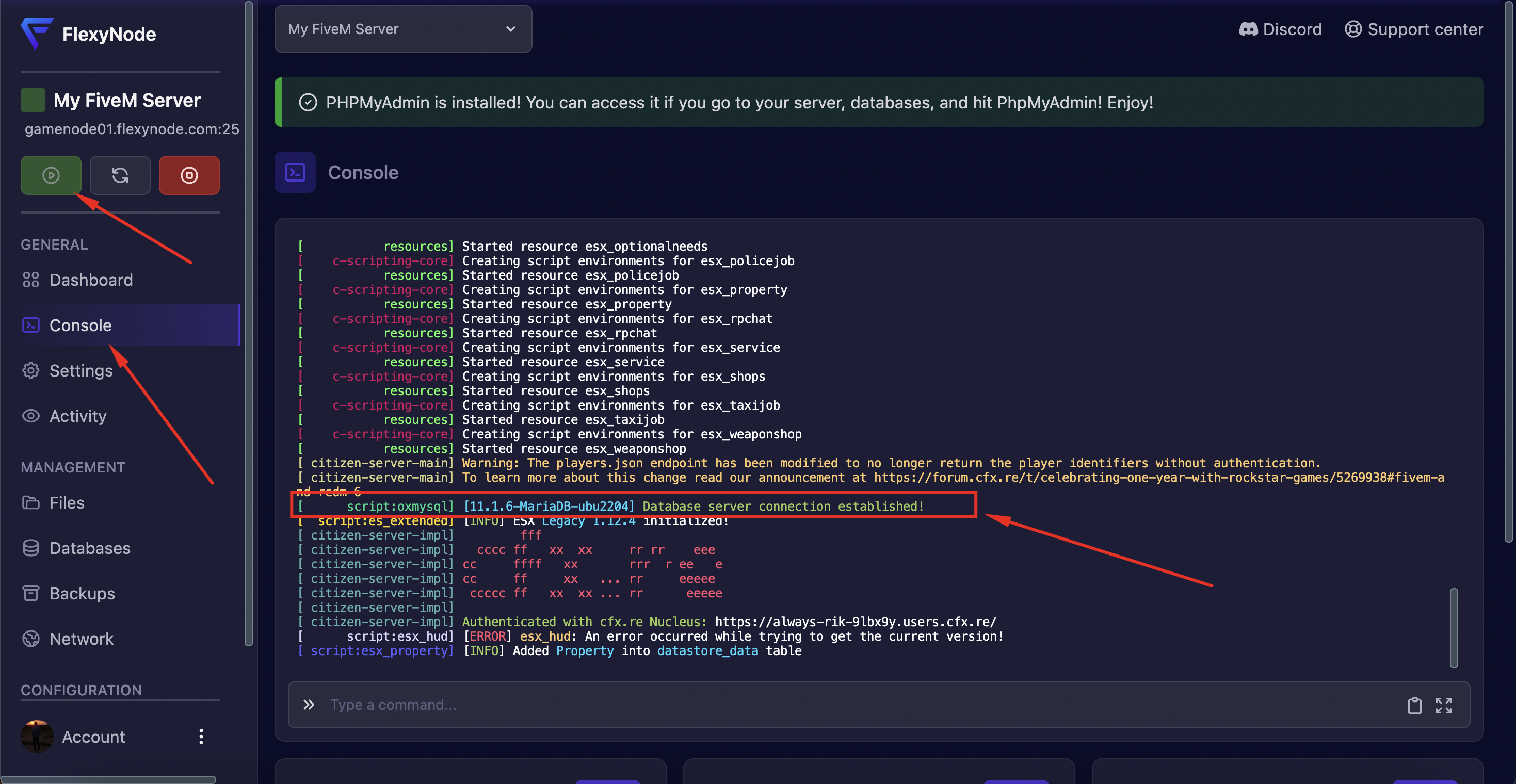
Click on the "Console" button in the sidebar and start your server. If everything went well, you will now receive a message that oxmysql has been successfully connected.
Success
Your database has now been successfully connected!
Framework Documentation
- ESX: esx-framework.org
- QBCore: docs.qbcore.org
- oxmysql: overextended.dev/oxmysql
FlexyNode Support
Need help with your database setup?
- Discord: discord.gg/zsv2wRTZjz
- Tickets: Via client area
- Email: [email protected]
Good luck with your FiveM server! 🎮💾
Was this article helpful? Let us know at [email protected]