
Setting Up txAdmin for Your FiveM Server
Complete guide how to configure txAdmin for your FiveM server
txAdmin is the most popular server management tool for FiveM servers. It provides a powerful web interface for managing your server, players, resources, and more.
Prerequisites
Before starting, ensure you have:
- A FlexyNode game hosting server
- Basic knowledge of FiveM server structure
Step 1: Start Your FiveM Server
- Log in to your FlexyNode game panel
- Navigate to your FiveM server
- Click Stop to stop the server
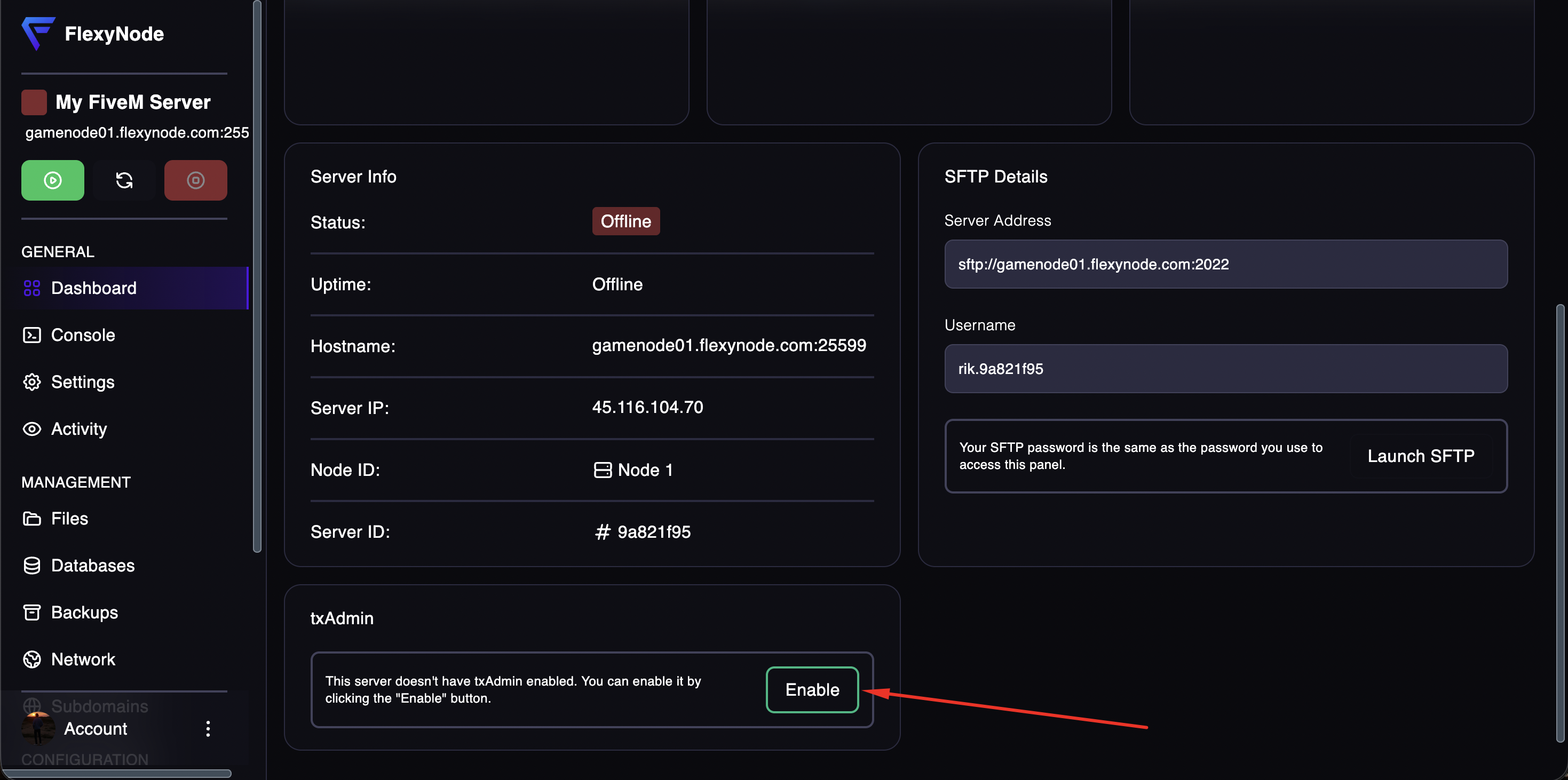
Step 2: Enable txAdmin
Click on the "Enable" button on the bottom of your server dashboard to enable txAdmin.
Step 3: Start your server
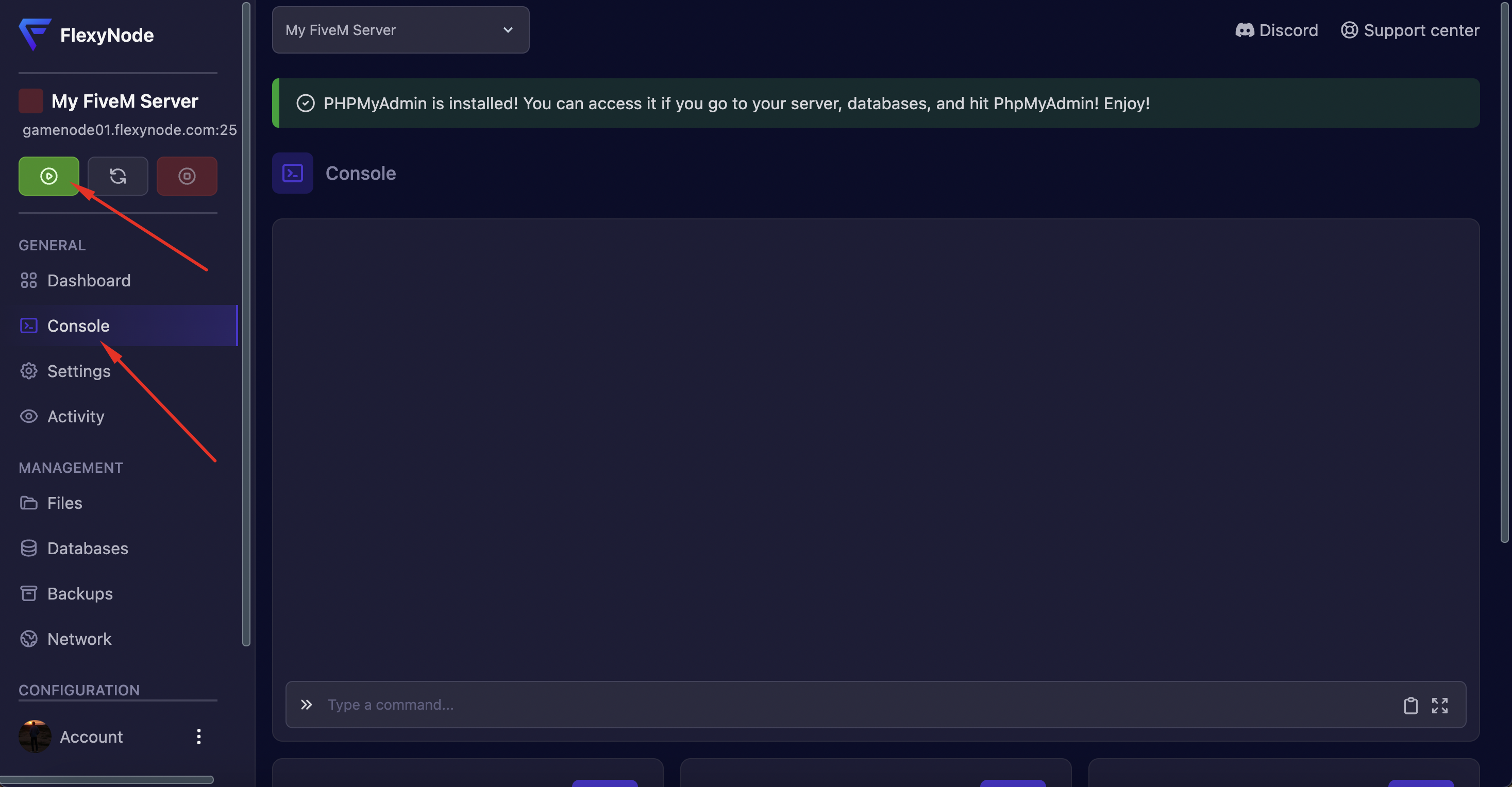
Click on the "Console" button to go to your server console and click the "Start" icon to start your server.
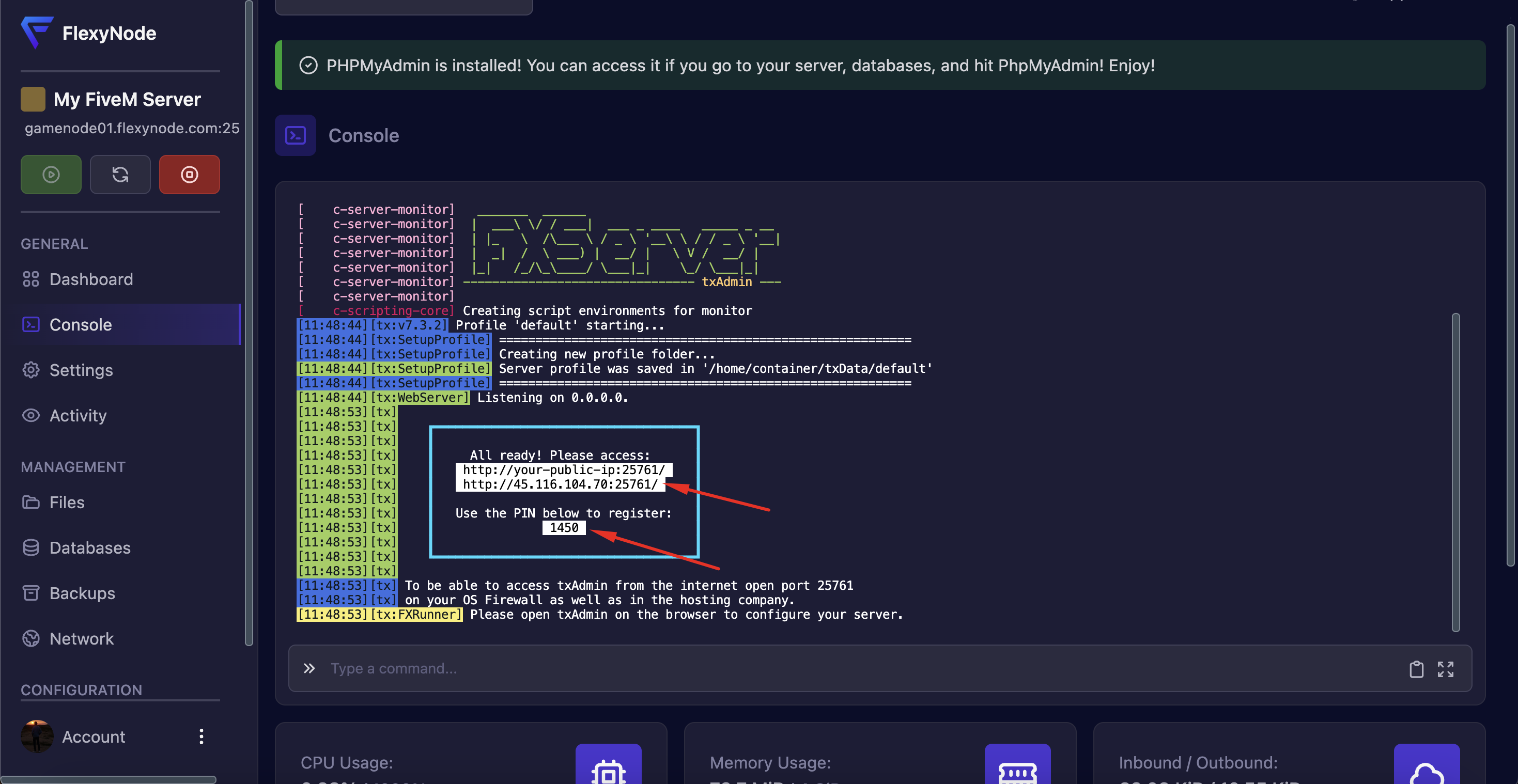
Once the server starts, check the console for:
^3txAdmin:^0 Starting...
^3txAdmin:^0 Web Interface: http://your-server-ip:your-port
^3txAdmin:^0 Setup PIN: XXXX-XXXX
- Open the web interface URL in your browser by clicking on it
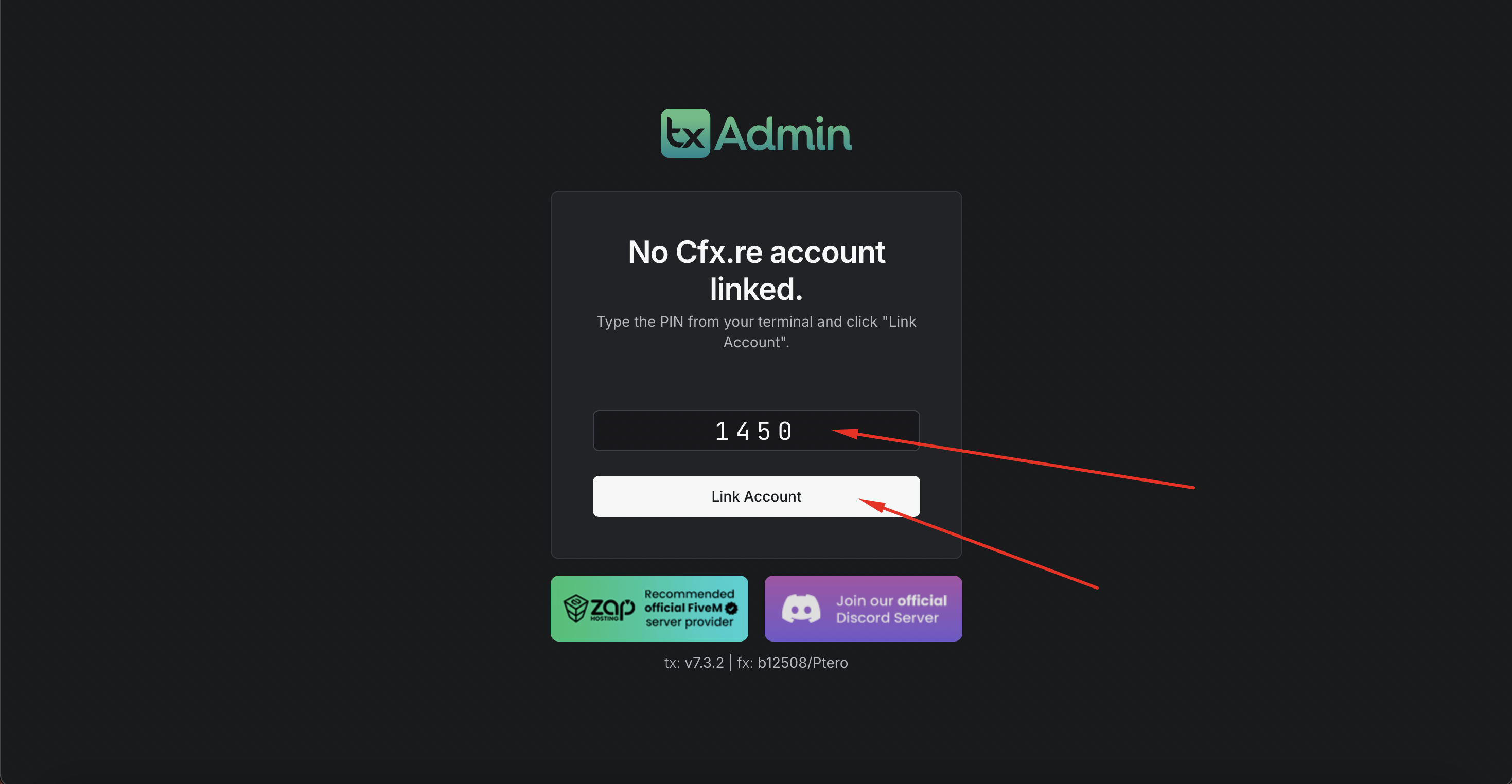
- Enter the PIN code shown in console
- You'll be redirected to the setup wizard
Step 3: Initial Setup Wizard
Create Admin Account:
- Choose a secure username (not "admin")
- Enter a strong password
- Click Next
Server Setup:
Choose one of these options:
- Popular Templates - Deploy QBCore, ESX, or other frameworks
- Custom Template - Use a specific recipe
- Existing Server Files - Use your current server files
- Empty Server - Start completely fresh
For existing servers:
- Select "Existing Server"
- Enter your server data folder path (/home/container/)
- Enter your server CFG file path (/home/container/server.cfg)
- Click Next
Server Name & Settings:
- Enter your server name
- Configure license key (from keymaster.fivem.net)
- Set max players
- Click Save & Start Server
Success
txAdmin is now configured on your FiveM server!
Official Documentation
FlexyNode Support
Need help with your FiveM server?
- Discord: discord.gg/zsv2wRTZjz
- Tickets: Via client area
- Email: [email protected]
Good luck with your FiveM server! 🎮
Was this article helpful? Let us know at [email protected]